
IEO Tech|Auto
IEO Science and Technology
Smart Phone Auto-Detection Machine: a 2-minute "check-up" for every used phone
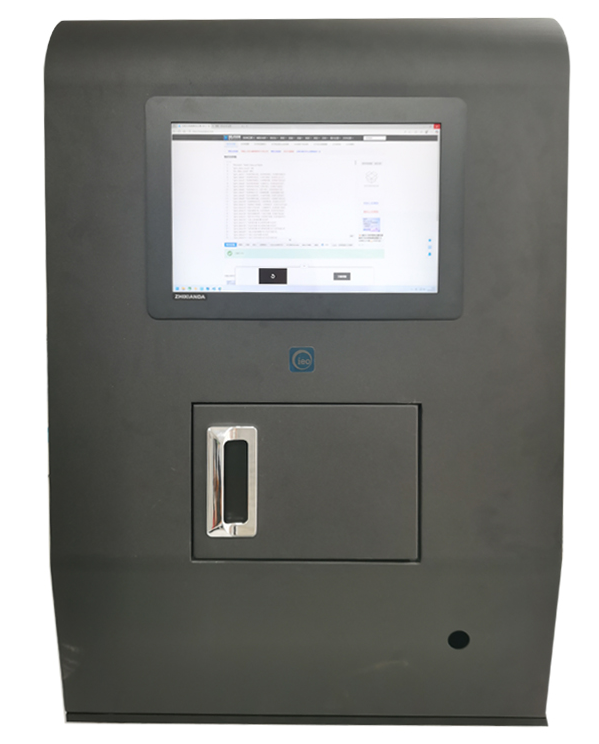
The ieoDetect smart phone auto-detection machine is a professional automated device integrating central control software, a testing APP, industrial cameras, light sources, microphones and motors. It simulates real user operations to quickly and comprehensively test the hardware functions and performance of used phones, and automatically generates an objective PDF detection report - the core basis for phone pricing, recycling and resale.
Pain Points of Manual Testing in Phone Recycling
Manual QC can hardly support large-scale used-phone recycling. Five pain points directly affect efficiency, cost and trading experience.
High labor cost
Training professional QC engineers is expensive and labor costs keep rising.
Efficiency bottleneck
One technician needs 3-5 minutes per phone, unable to handle large recycling volumes.
Inconsistent standards
Standards vary between inspectors; subjectivity often leads to trade disputes.
Limited coverage
Manual testing cannot deeply cover all sensors, subtle display defects and complex function interactions.
No data traceability
Results rely on manual records and can hardly become data assets for analysis and optimization.
Overview: one machine replaces manual full-device "check-up"
The ieoDetect Smart Phone Auto-Detection Machine integrates central control software and a phone APP, and schedules industrial cameras, light sources, microphones, motors and other hardware with intelligent detection algorithms. By simulating user operations, it quickly and comprehensively "check-ups" the hardware functions and performance of used phones and generates an objective detection report - the core basis for phone pricing, recycling and resale.
Test Items
Covers cameras, display, audio, sensors, buttons and system information. Test items and thresholds are configurable per phone model.
Front camera
White balance, sharpness
Rear camera
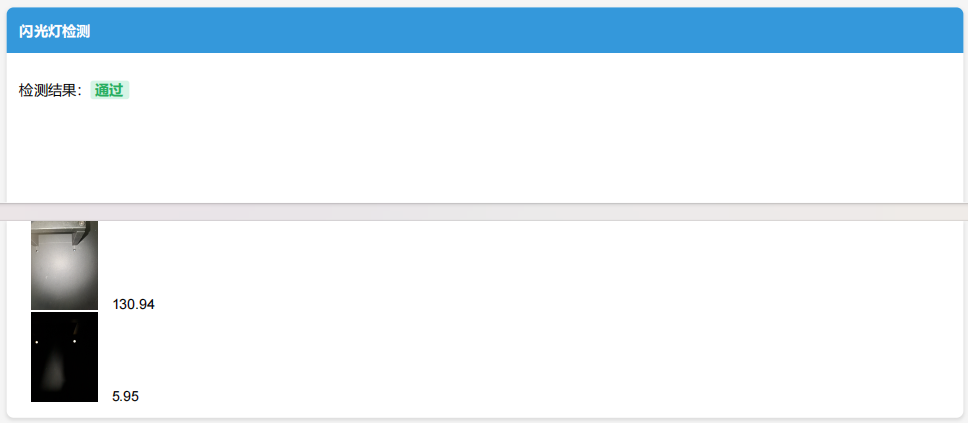
White balance, sharpness, flash
Display
Cracks, stripes, color uniformity, bright/dark spots, liquid leakage
Audio
Frequency, volume, SNR, abnormal noise
Sensors
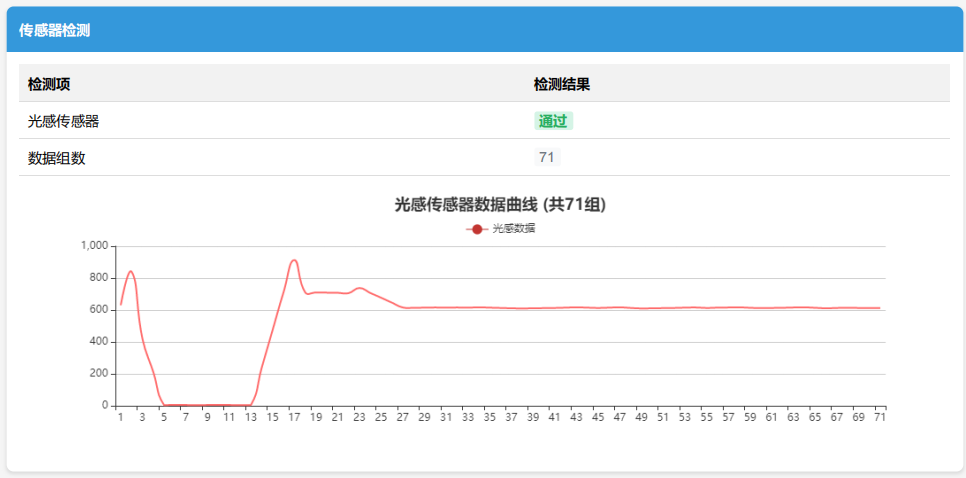
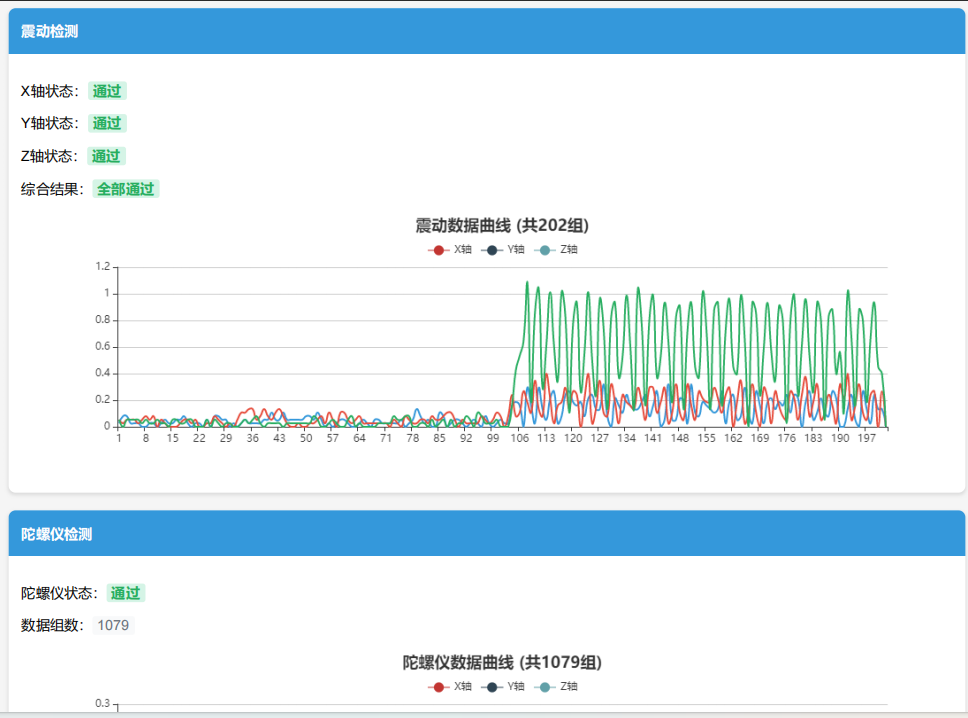
Vibration, ambient light, gyroscope, accelerometer, touch sensitivity
Buttons
Volume keys (manual assistance)
System info
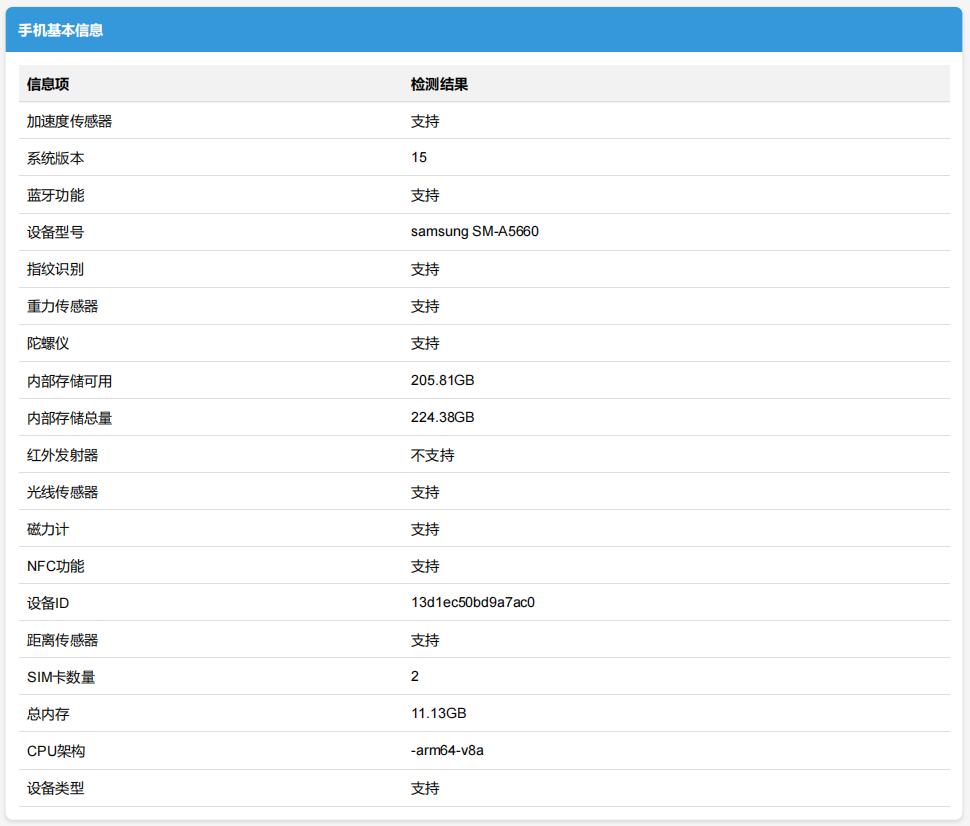
Model, OS version, storage, sensor support, etc.
Testing Workflow
Tests run automatically in sequence after the phone is placed in the machine; volume keys and touch sensitivity are completed with on-screen guidance in the APP.
Read phone configuration
Display test: capture white/red/black screens; analyze cracks, stripes, color uniformity, bright/dark spots, liquid leakage
Vibration and gyroscope test
Rear camera test: white balance, sharpness, flash
Accelerometer and ambient-light test
Front camera test: white balance, sharpness
Video recording test: clarity
Speaker & microphone test: frequency, volume, SNR, abnormal noise
Bluetooth test
Volume key test (guided in APP, manual assistance)
Touch sensitivity test (guided in APP, manual assistance)
Central Control System IEOSPTsystem
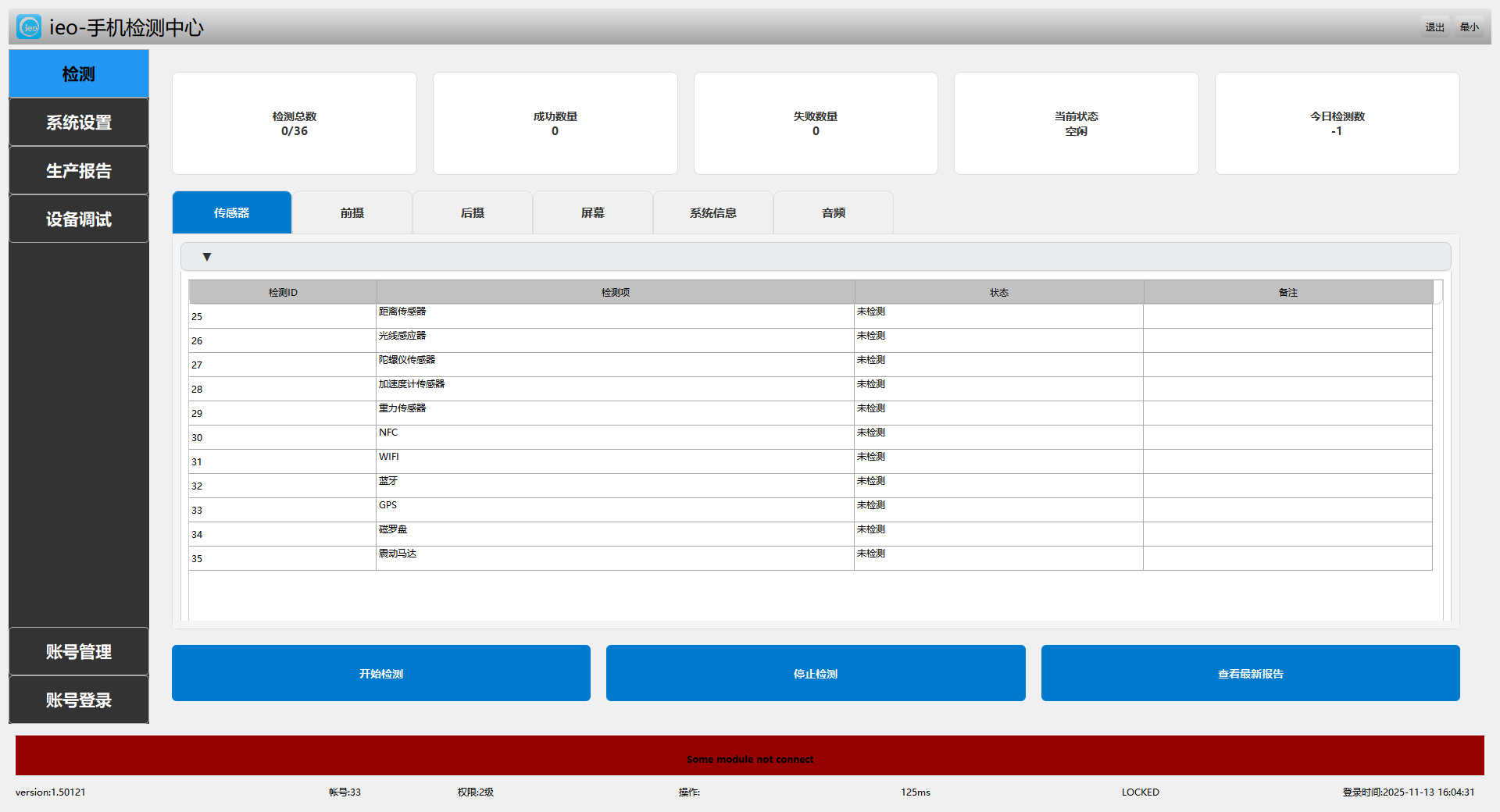
The central control system connects the phone APP, schedules device hardware, and coordinates the phone with cameras, lights and audio - a multi-threaded, high-performance computing framework.
Coordinated scheduling
Connects the phone APP and schedules cameras, lights, audio and motors to work together.
Intelligent image analysis
Computes sharpness and color uniformity of camera and screen images, detecting bright/dark spots, dead pixels and lines.
Intelligent audio analysis
Analyzes volume and frequency of the receiver and speaker, and identifies abnormal noise.
Multi-threaded framework
Concurrent multi-threaded communication and computing; the workflow runs automatically without manual intervention.
Automatic verdicts
Each test item gets its measured value, threshold range and pass/fail conclusion.
Report management
Detection records are stored and can be exported as standardized PDF reports with one click.
Detection Examples
All screenshots below come from real detection runs of the machine.
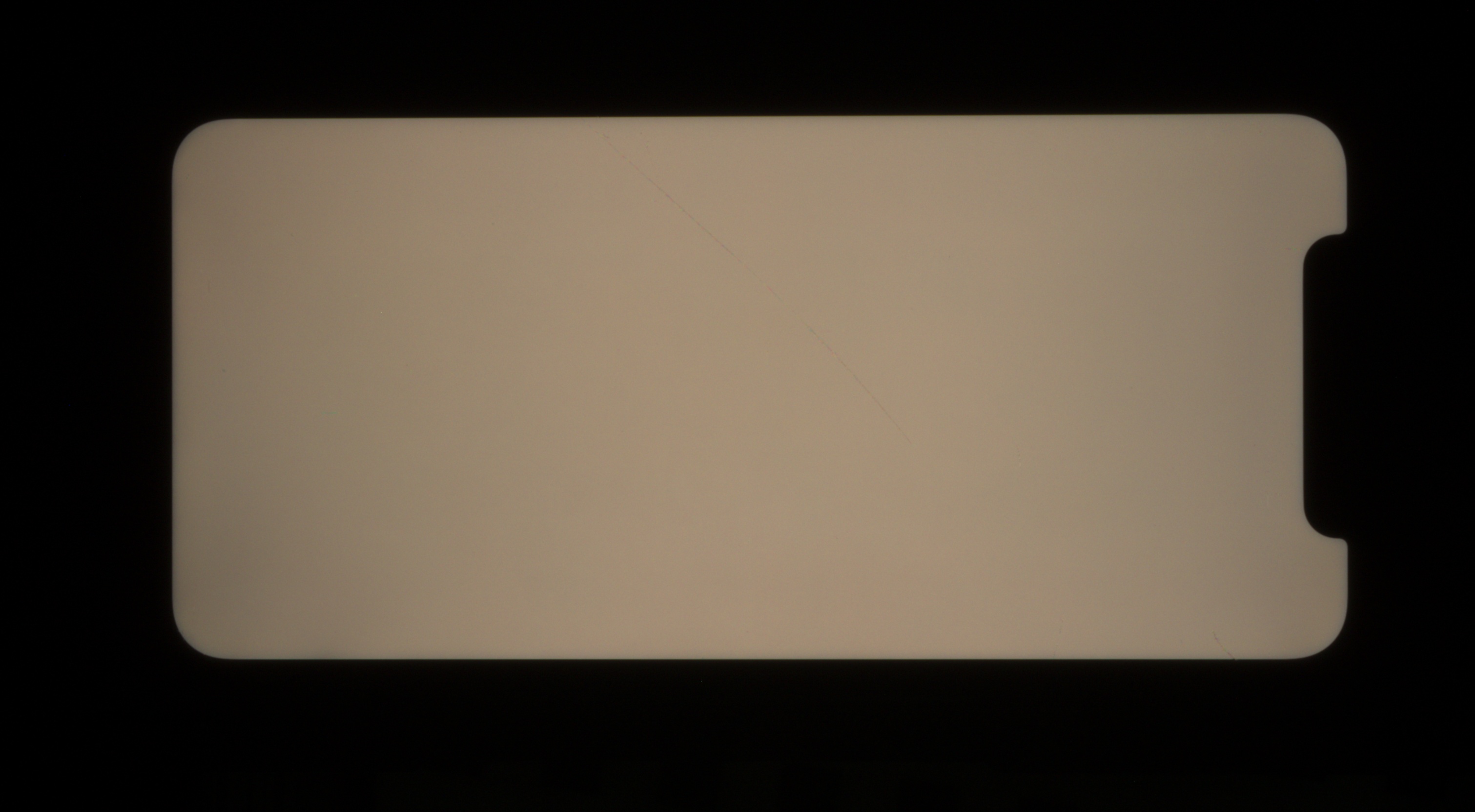
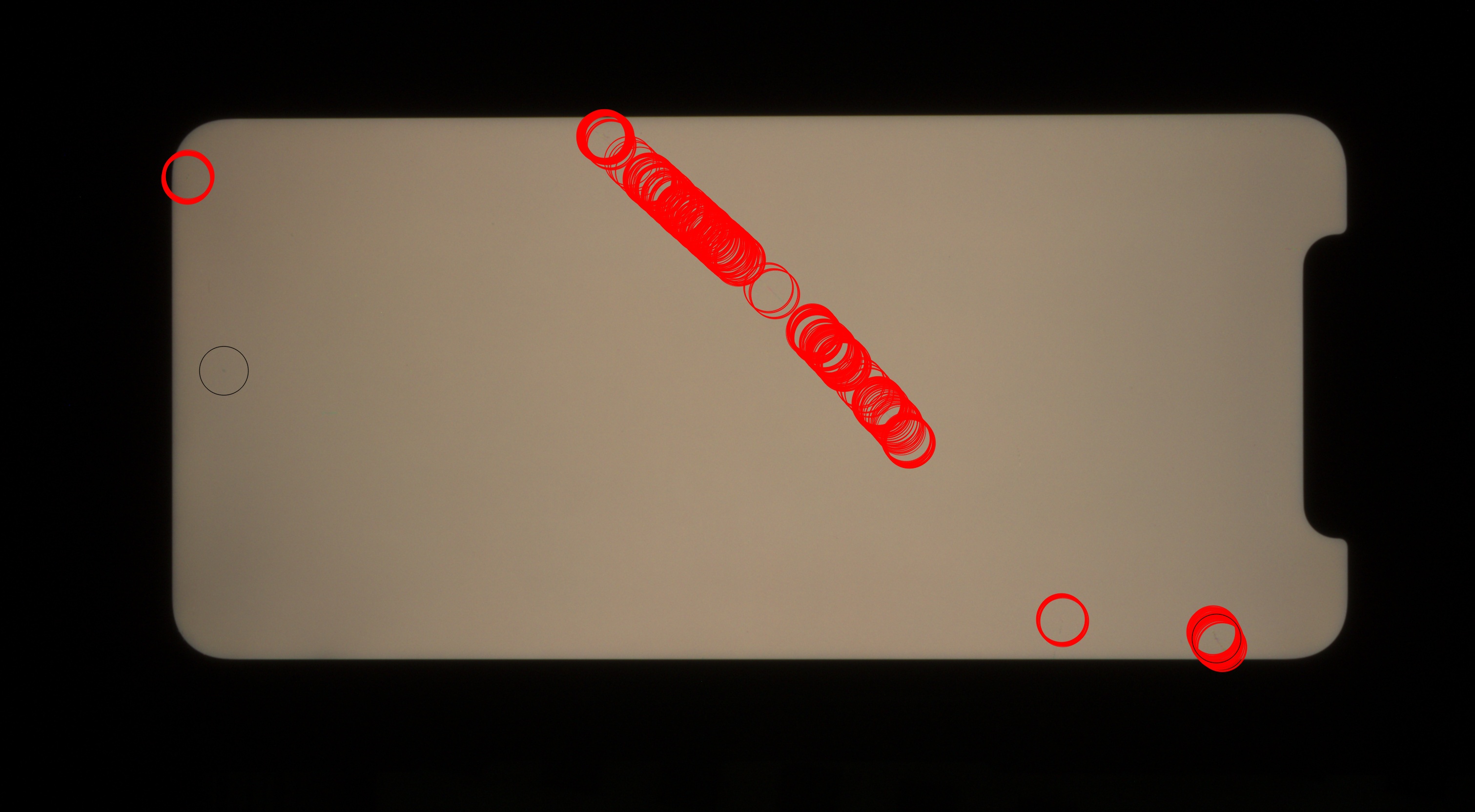
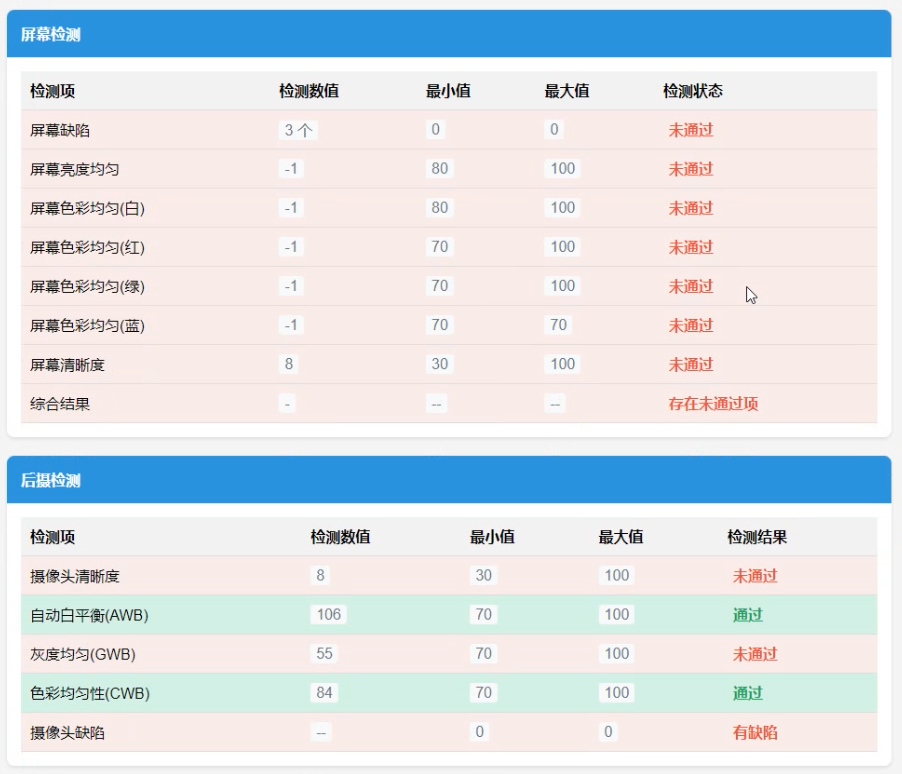
Display Test
- Screen brightness uniformity
- Screen color uniformity
- Screen color temperature
- Dead pixels, bright dots, dead lines, stripes, stains, black patches, light transmission and leakage
Camera Test
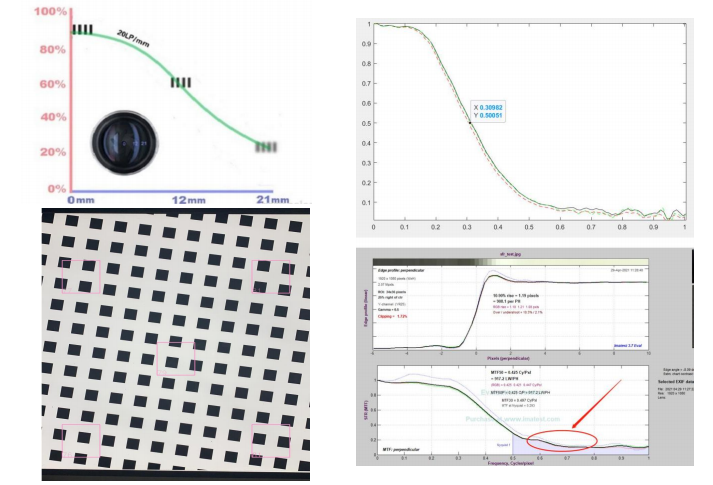
- Rear camera telephoto resolution
- Rear camera close-focus resolution
- Front camera resolution
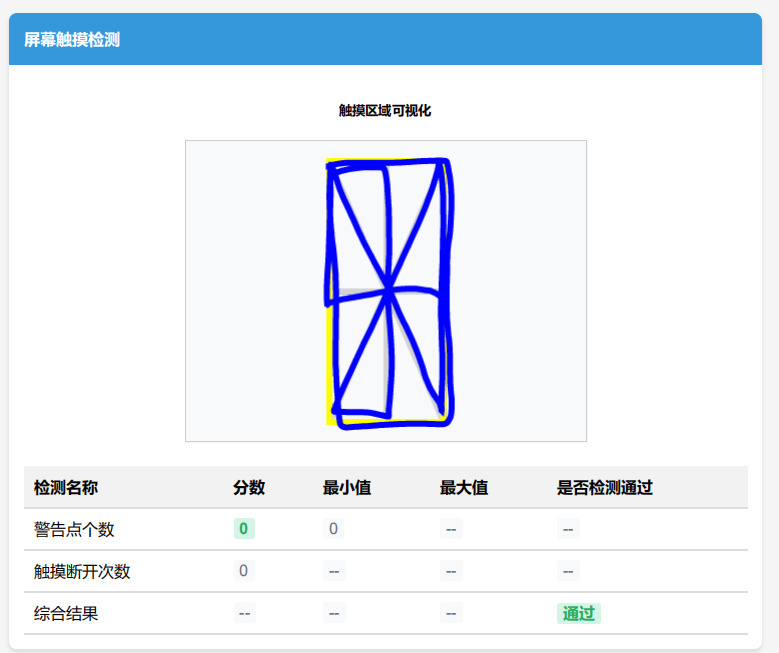
Touch, Sensors and More
Detection Report
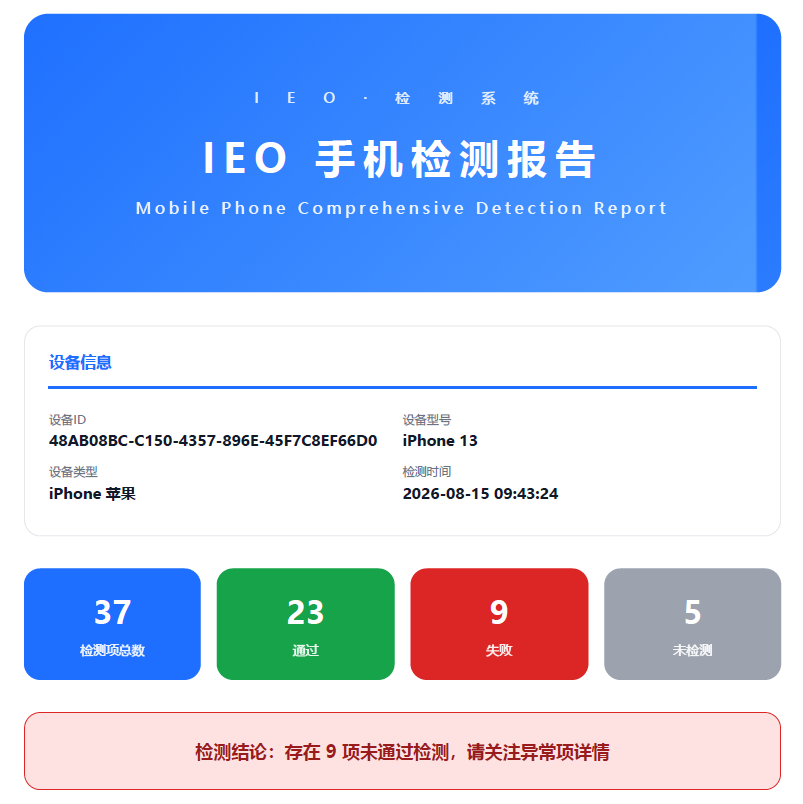
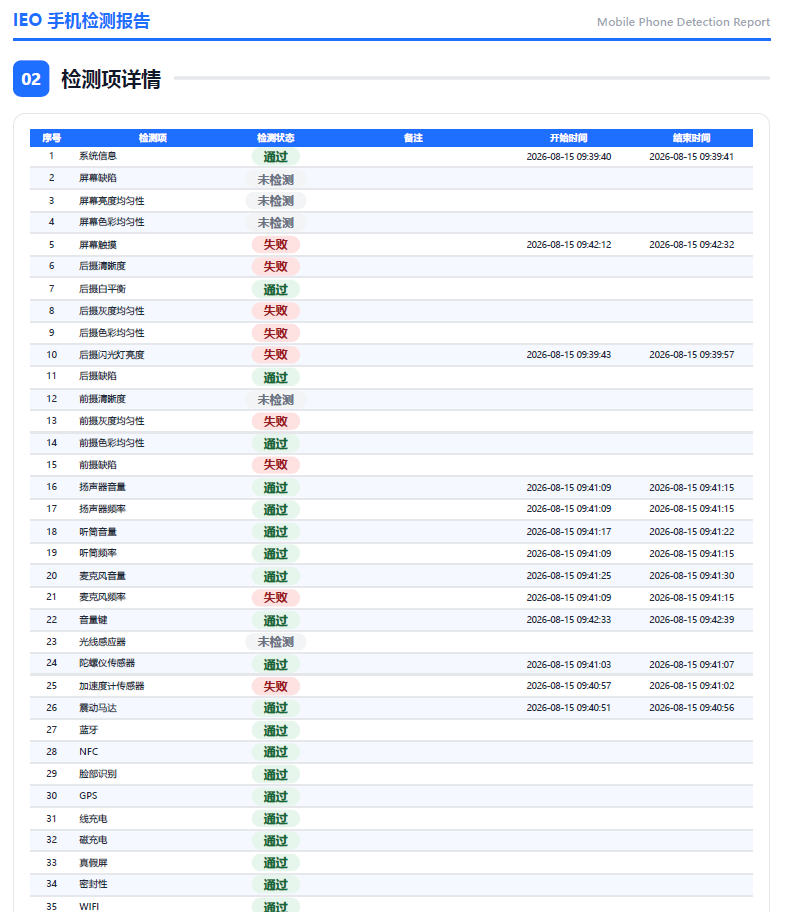
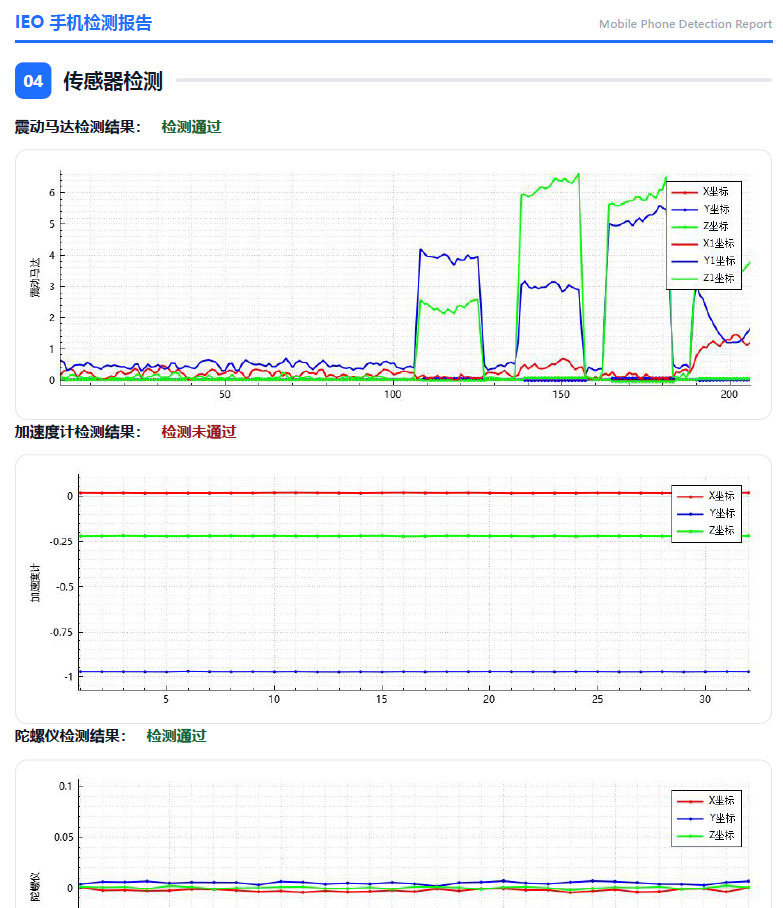
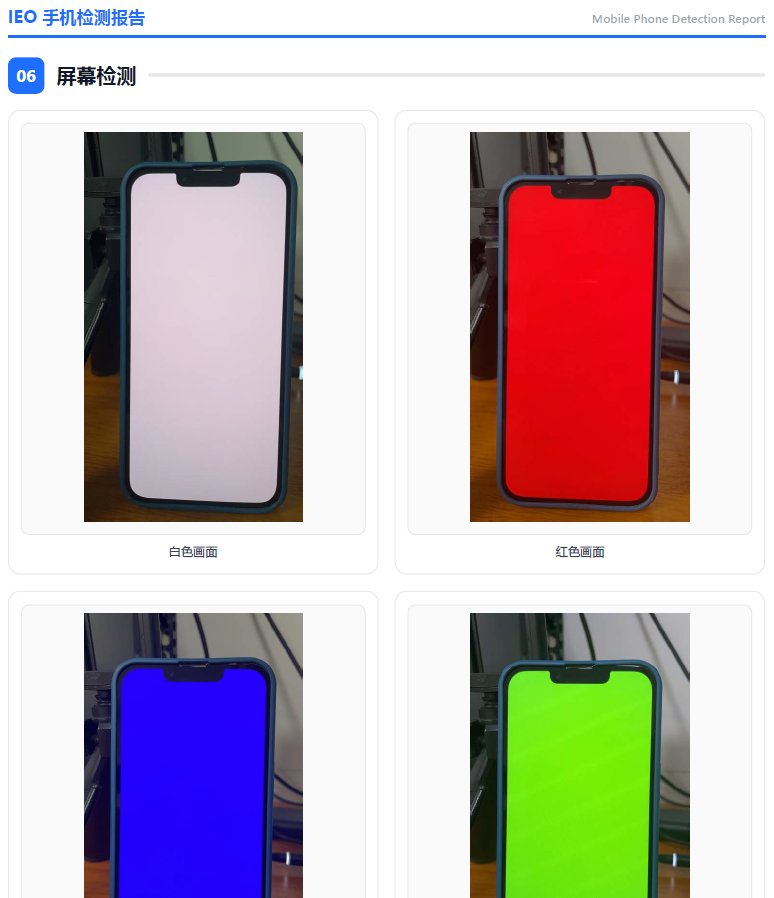
After testing, a standardized PDF report is generated automatically: the cover shows the total number of test items, pass/fail statistics and the overall conclusion, while the body lists measured values, verdicts and process screenshots item by item - ready to use as the basis for pricing, recycling and after-sales.
Get Started in 3 Steps
One person is enough to deploy and run the tests.
Install the ieo testing APP on the phone under test - free for iOS and Android.
Put the phone into the chamber, select the model and test items, then start.
Testing completes in about 2 minutes and a standardized PDF report is generated automatically.
Go to the Download Center for the testing APP
For iPhones, search "艾易欧" in the App Store to install the testing APP.
Product Video
Live demo: the full test flow runs automatically after the phone is placed in the machine.
Specifications
Contact Us
Welcome to consult about demos, quotations and customized solutions. We can suggest configurations based on your test-item requirements.
Contact Us